
The Faults section of the sidebar groups the faults you can introduce during a session, by system.
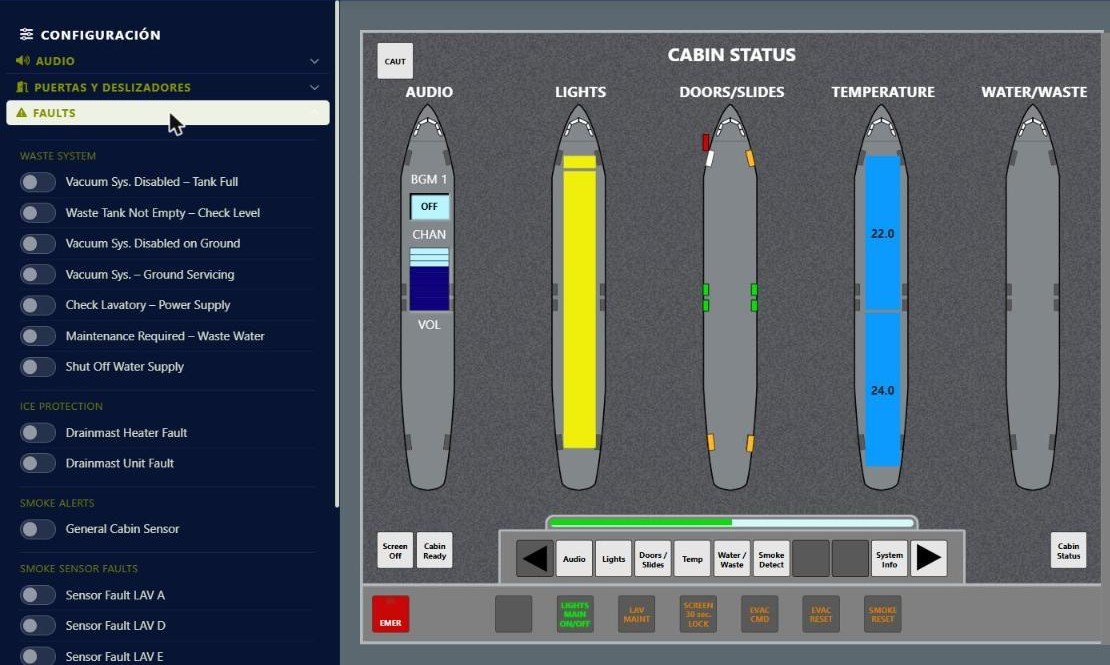
The Faults section with waste system, ice protection and smoke detection faults.
Waste system and ice protection
Seven water and waste faults (for example Vacuum Sys. Disabled – Tank Full or Shut Off Water Supply) and two ice protection faults (Drainmast Heater Fault and Drainmast Unit Fault). When active, the messages appear on the Water/Waste page, CAUT lights up and, depending on the fault, they are also logged in System Info.
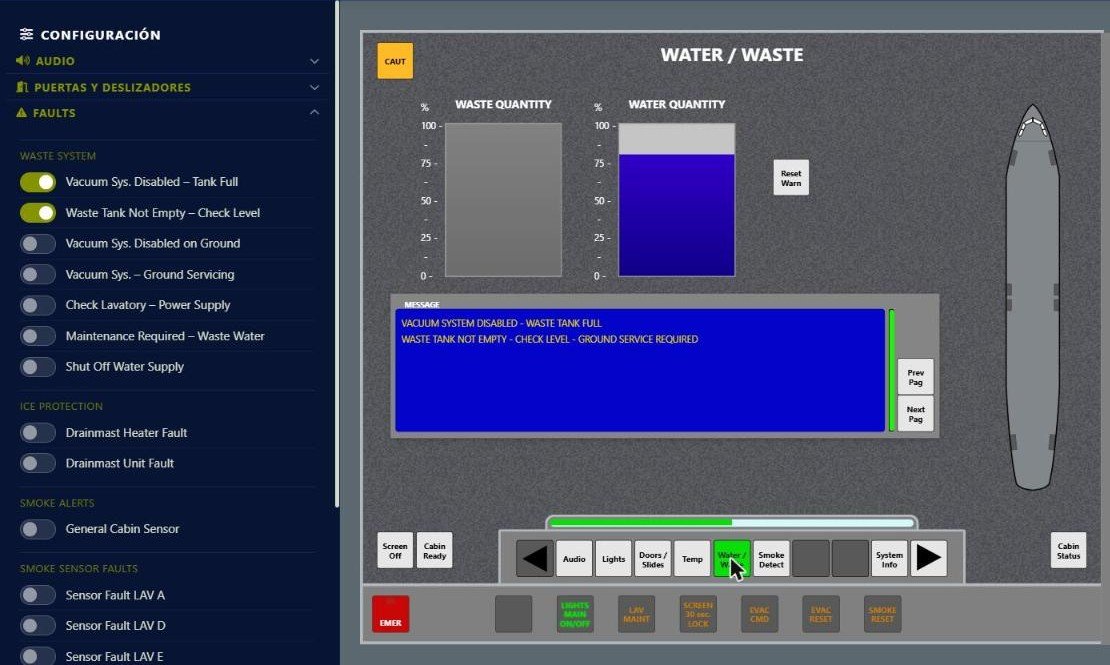
With a waste fault active, the Water/Waste page shows the message and CAUT lights up.
Smoke detection
- Smoke alerts – General Cabin Sensor: simulates the general cabin sensor.
- Smoke sensor faults: introduces a fault in the sensor of each lavatory (LAV A, D and E).
- Smoke simulation: simulates smoke in a lavatory. Alerts trigger on the FAP, ACP and AIP, and the crew handles them with SMOKE RESET.
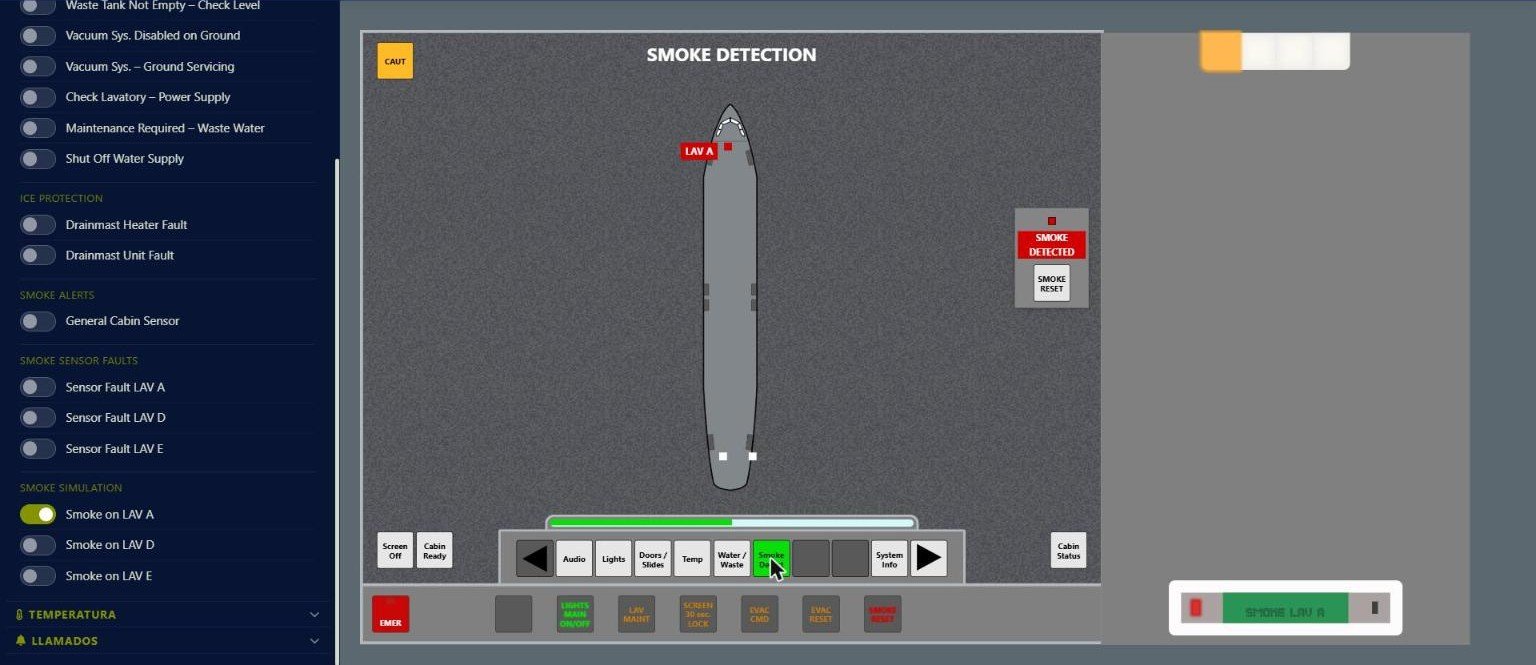
Smoke on LAV A: alert on the Smoke Detection page, ACP light and SMOKE LAV A on the AIP.
Temperature
The Temperature section simulates the loss of temperature data: No temperature data available, No temperature select available and No cabin temperature available. As in the real aircraft, the crew cannot change the temperature from the FAP; these faults are for practicing how to read the cautions.