Where can I download my certificate?

Learn how to download your Flightdemy certificate as a PDF once you have completed 100% of the course with an average grade above 75%.

Updated: 09/11/2026

Download your certificate

Step 1: Log in to your Flightdemy account and open the user menu.

Step 2: Select "My courses" to see all the courses you are enrolled in.

Step 3: Find your course and, on its card, click the certificate option to download it.
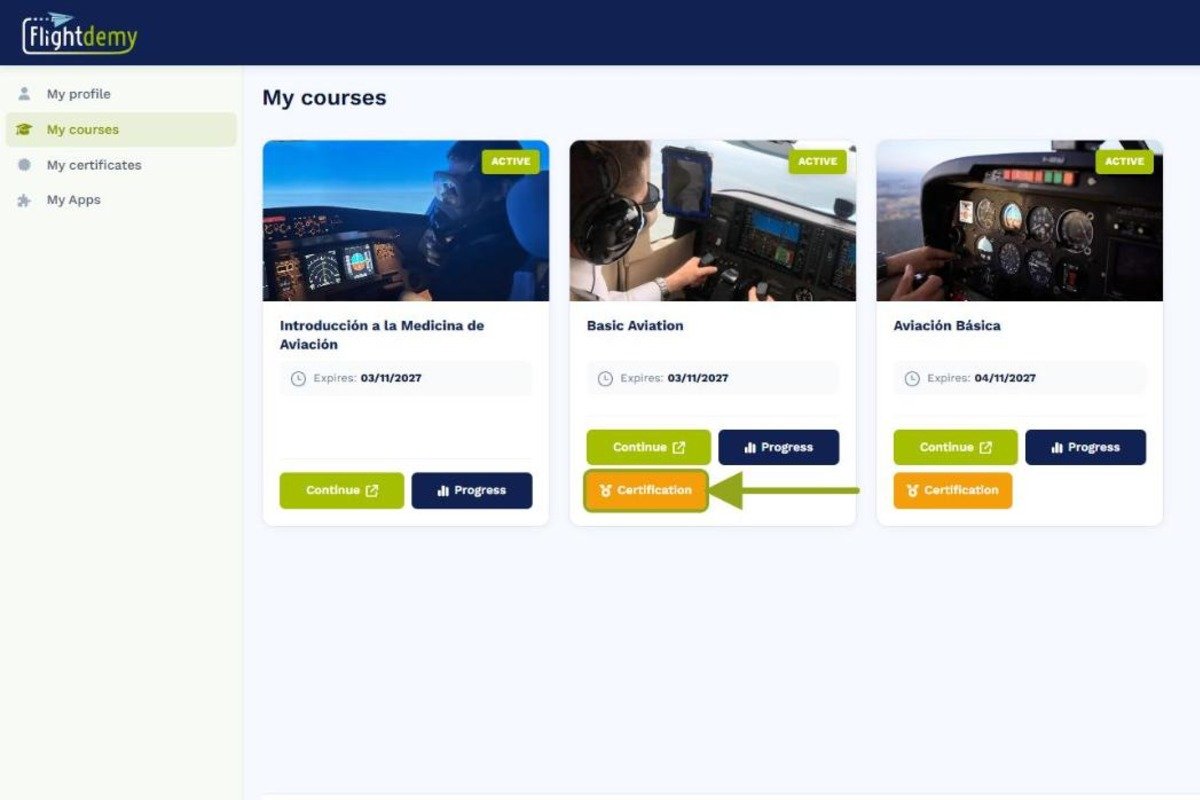
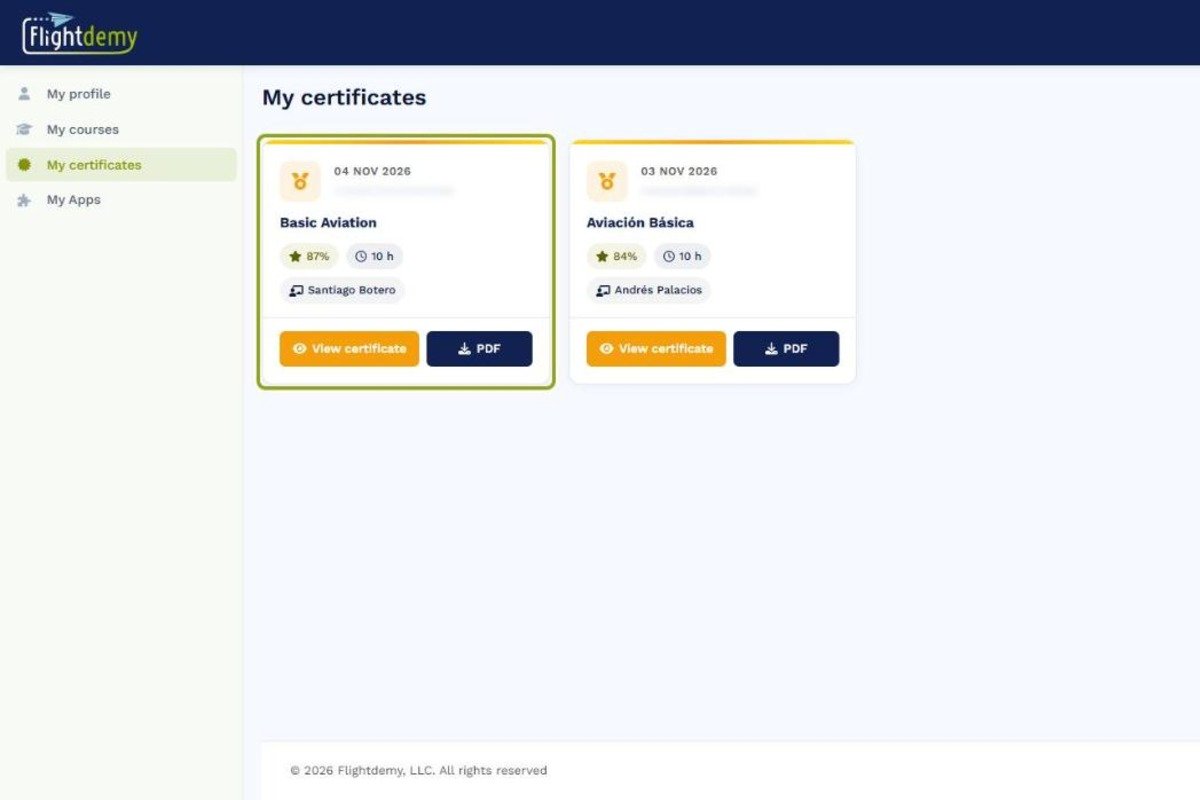
You can also find your certificates in "My certificates" in the user menu.

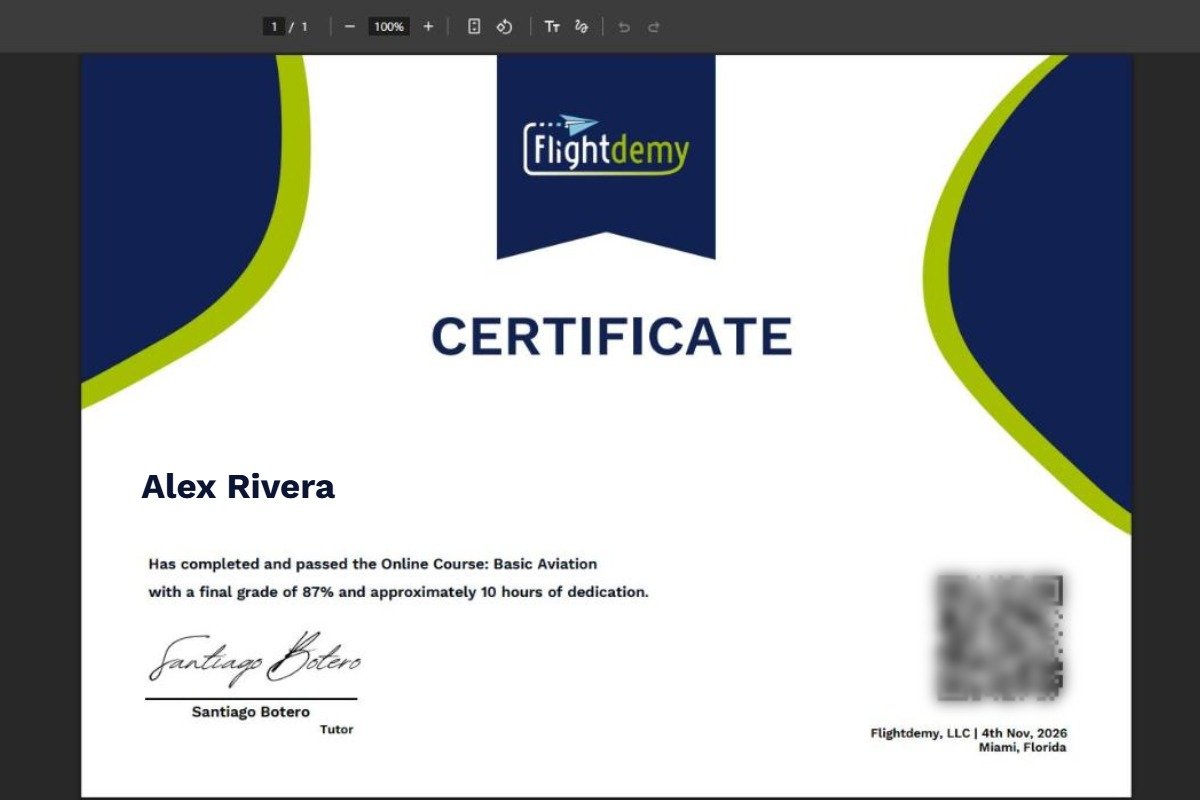
You can also find all your certificates in "My certificates", in the side menu, with the "View certificate" and "PDF" options. The certificate includes your name, the course, your final grade, your study hours and a QR code to verify it.
I can't see the option to download my certificate

To download your certificate, you must:

  • - Complete 100% of the course: finish all the lessons and assessments.
  • - Get an average grade above 75% in the course.

Learn what your certificate is worth.

Didn't find what you were looking for?

Our team is ready to help. Reach out via our contact page and we'll get back to you as soon as possible.

Contact us