
In this section of the FAP Trainer, you have the ability to simulate various calls within the aircraft cabin, whether from the cockpit, passenger cabin, or even the restrooms. These calls are essential for efficient and timely communication during the flight.
Here's how to use this function:
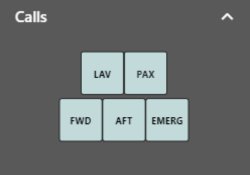
a. Activating the Calls
In the Calls section, you will find different buttons with available options, each representing a specific type of call:
- - Call from a restroom.
- - Call from a passenger.
- - Call to the forward station (FWD Attendant)
- - Call to the aft station (AFT Attendant)
- - Emergency call (EMER CALL)
To activate a call, simply click on the button corresponding to the type of call you wish to simulate. When you do, a sound alert will be activated, and the ACP (Area Call Panel) and AIP (Attendant Indication Panel) will be displayed to provide a complete representation of how this call would appear inside the aircraft.
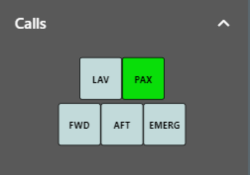
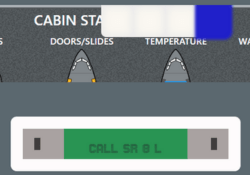
b. Deactivating the Call:
If you wish to deactivate the call you have simulated, simply press the same button you used to activate it initially.
Upon doing so, the sound alert will stop, and the ACP and AIP will return to their original state, indicating that the call has been deactivated.
This functionality allows you to train and familiarize yourself with the procedures for responding to calls and emergency situations in the cabin. Make sure to make the most of this tool to improve your communication skills and ensure a safe and efficient operation during the flight.