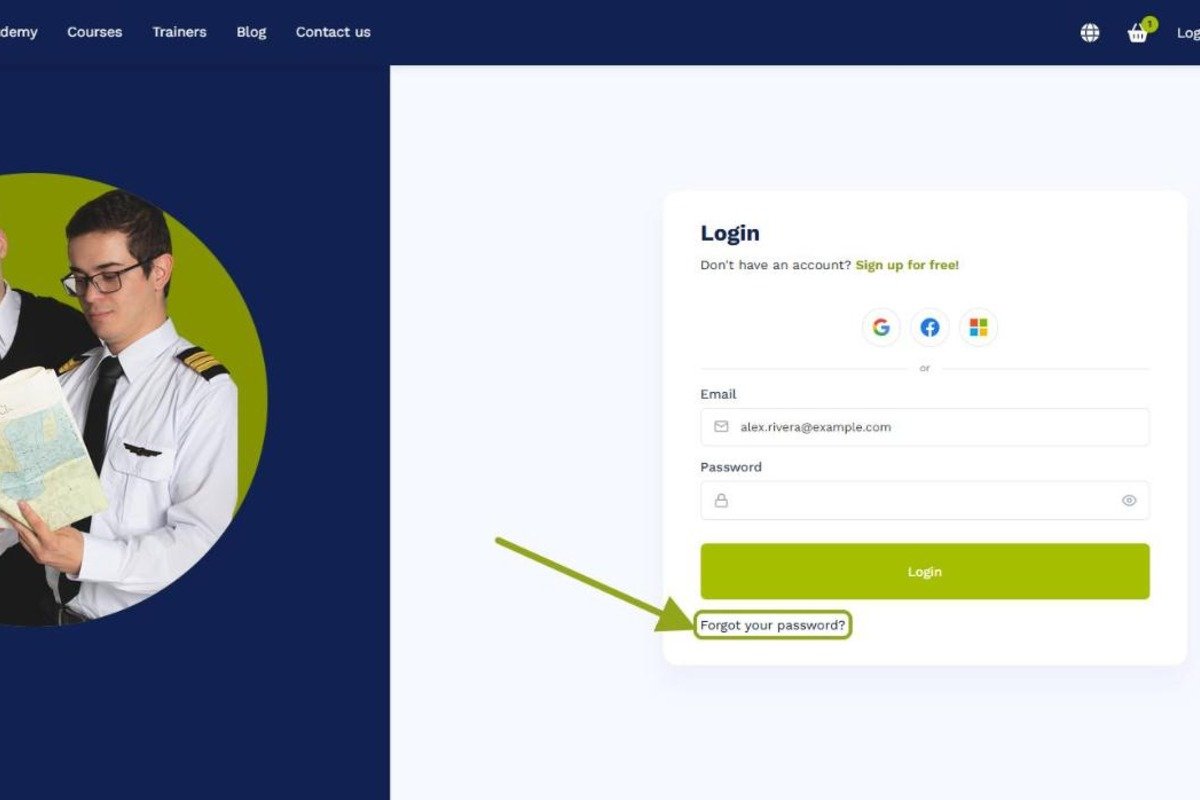
Go to the Flightdemy login page. Below the login fields, click the link to recover your password.

Forgot your Flightdemy password? Learn how to reset it and regain access to your account in a few steps.
Go to the Flightdemy login page. Below the login fields, click the link to recover your password.
Enter the email address associated with your Flightdemy account. Make sure it's correct so the instructions reach you.
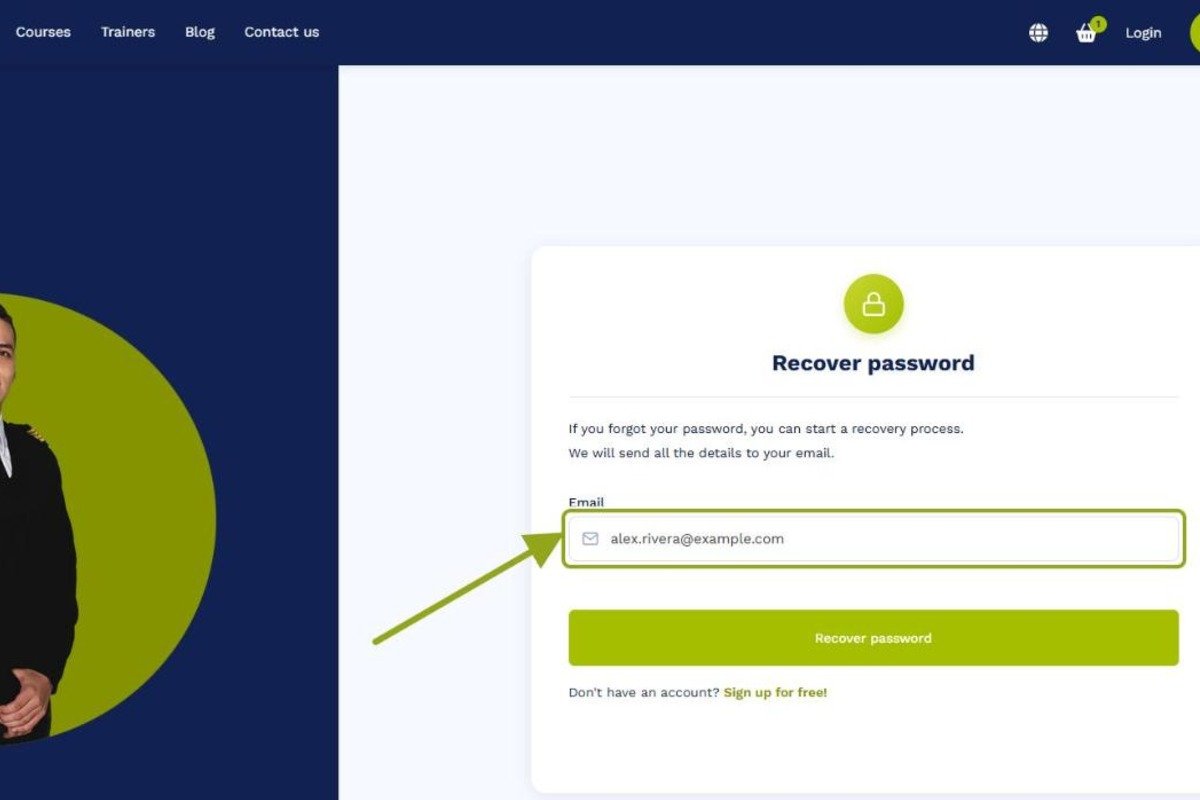
You'll receive an email from Flightdemy with instructions to reset your password. Open it and follow the link. If it doesn't arrive, see What if I don't receive the password reset email?
The link takes you to a page where you can set a new password. Choose a strong one and save it.
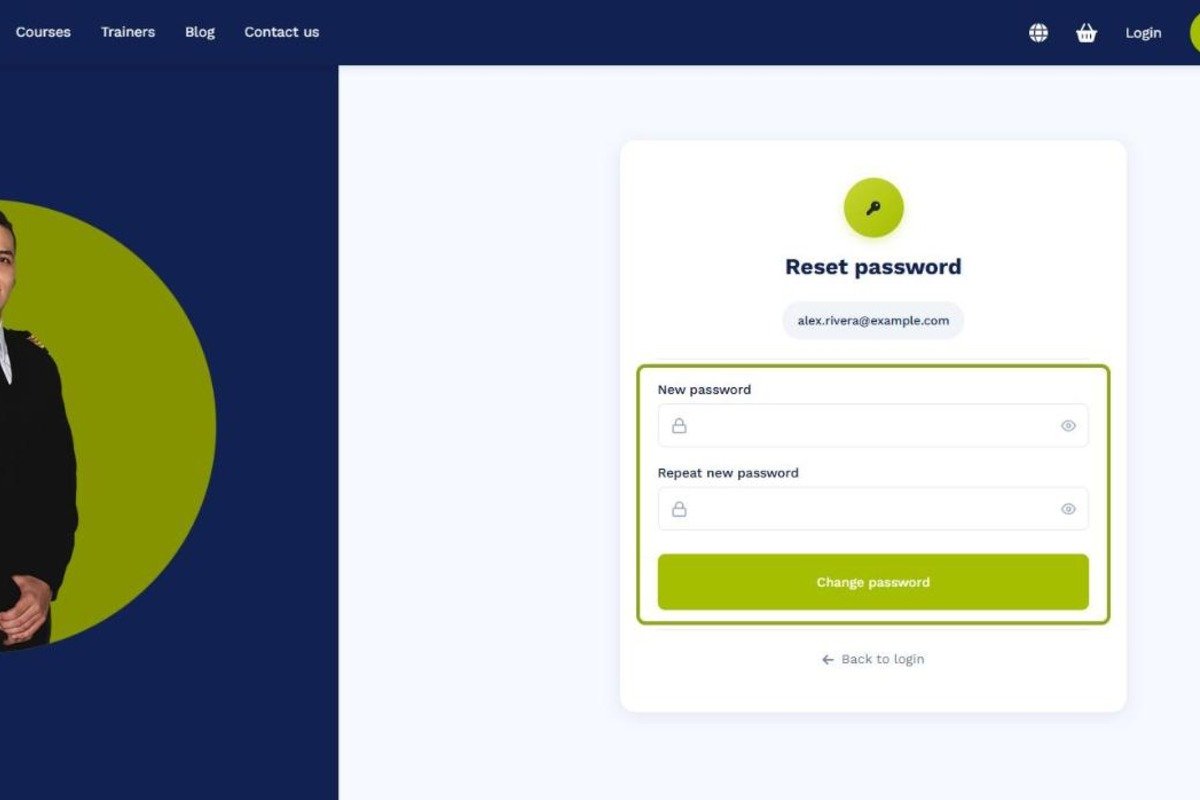
Then go back to the login page and log in with your new password.
Related guides
Our team is ready to help. Reach out via our contact page and we'll get back to you as soon as possible.