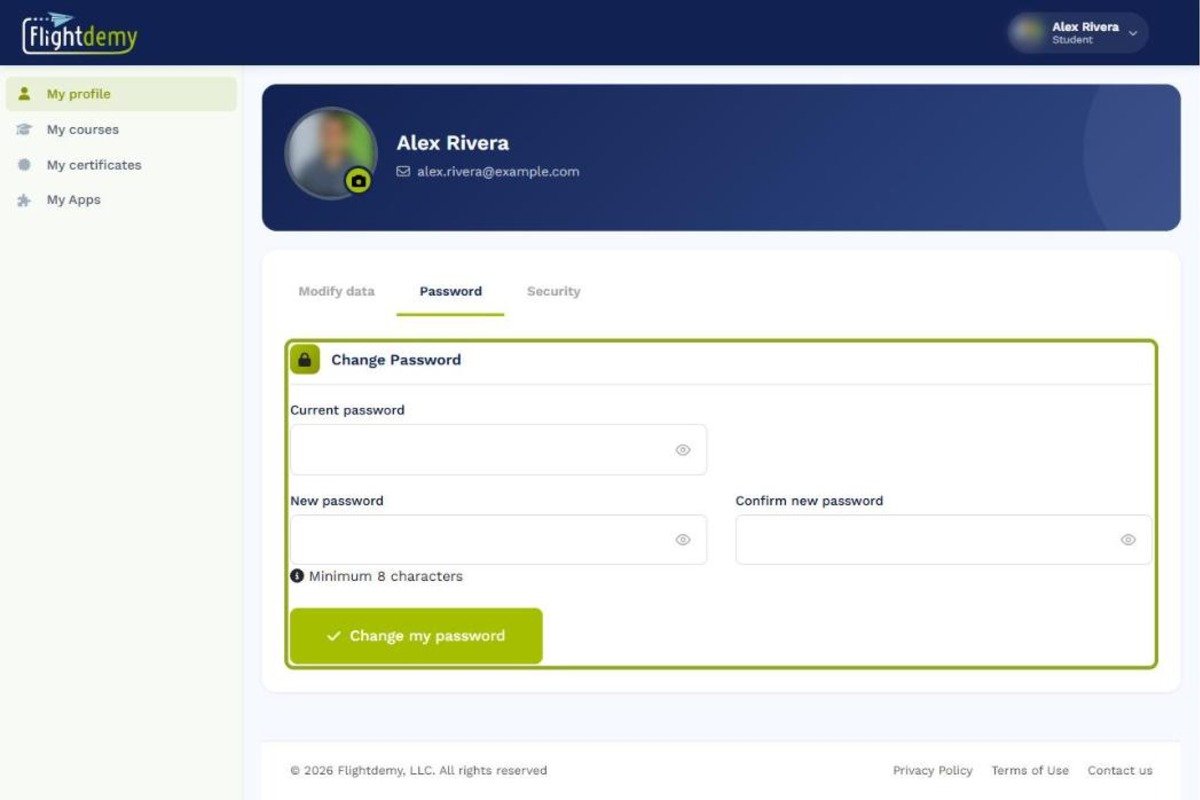
Log in to your Flightdemy account, go to "My profile" and select the "Password" tab.

Learn how to change your Flightdemy password from your profile in a few simple steps and keep your account secure.
Log in to your Flightdemy account, go to "My profile" and select the "Password" tab.
To start, type your current password in the "Current password" field. This confirms that you are the account owner.
Type your new password in the "New password" field. Choose a strong password that combines letters, numbers and special characters.
Type the new password again in "Confirm new password" to avoid typos, then click "Change my password". From then on, use your new password to log in.
Related guides
Our team is ready to help. Reach out via our contact page and we'll get back to you as soon as possible.