-
Step 1: Go to Flightdemy
Open your browser and visit flightdemy.com. You can use a computer, phone or tablet.
-
Step 2: Click "Register"
In the top-right corner of the page, click the "Register" button.
-
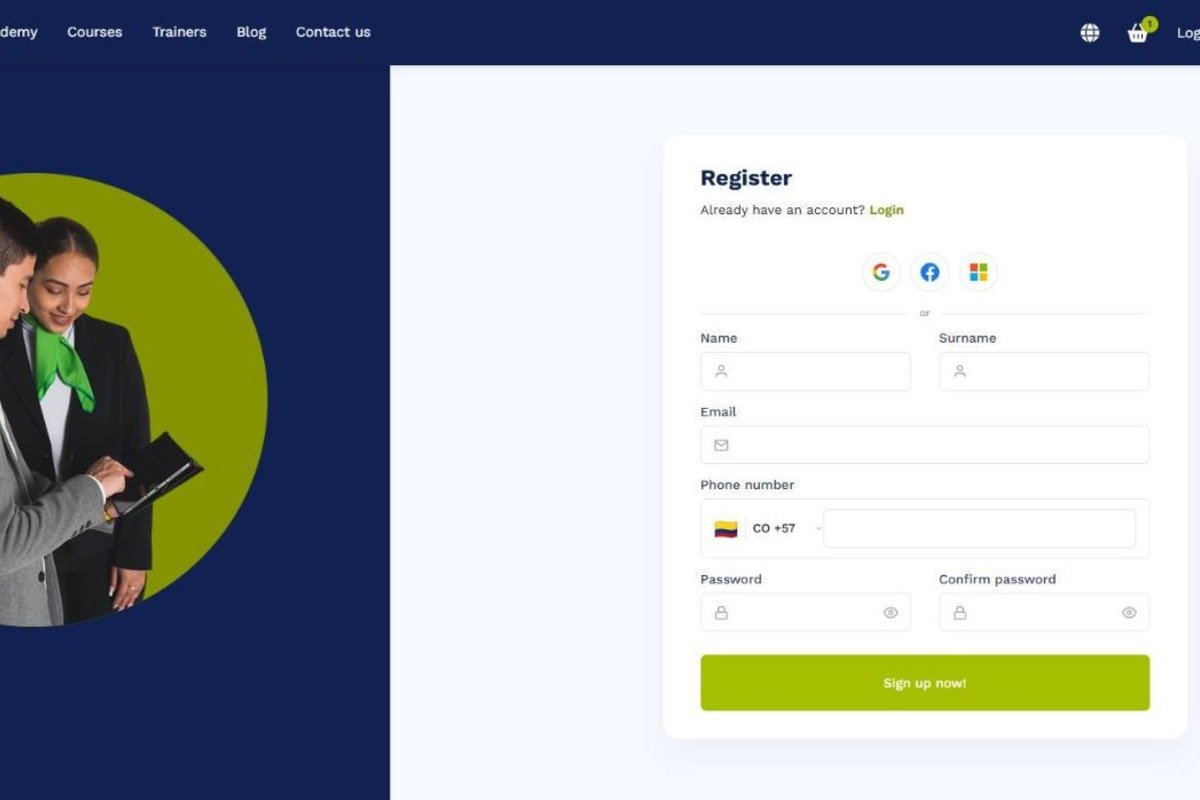
Step 3: Fill in the form
Enter your name, surname, email, phone number and a secure password, then click "Sign up now!". You can also sign up with your Google, Facebook or Microsoft account.
-
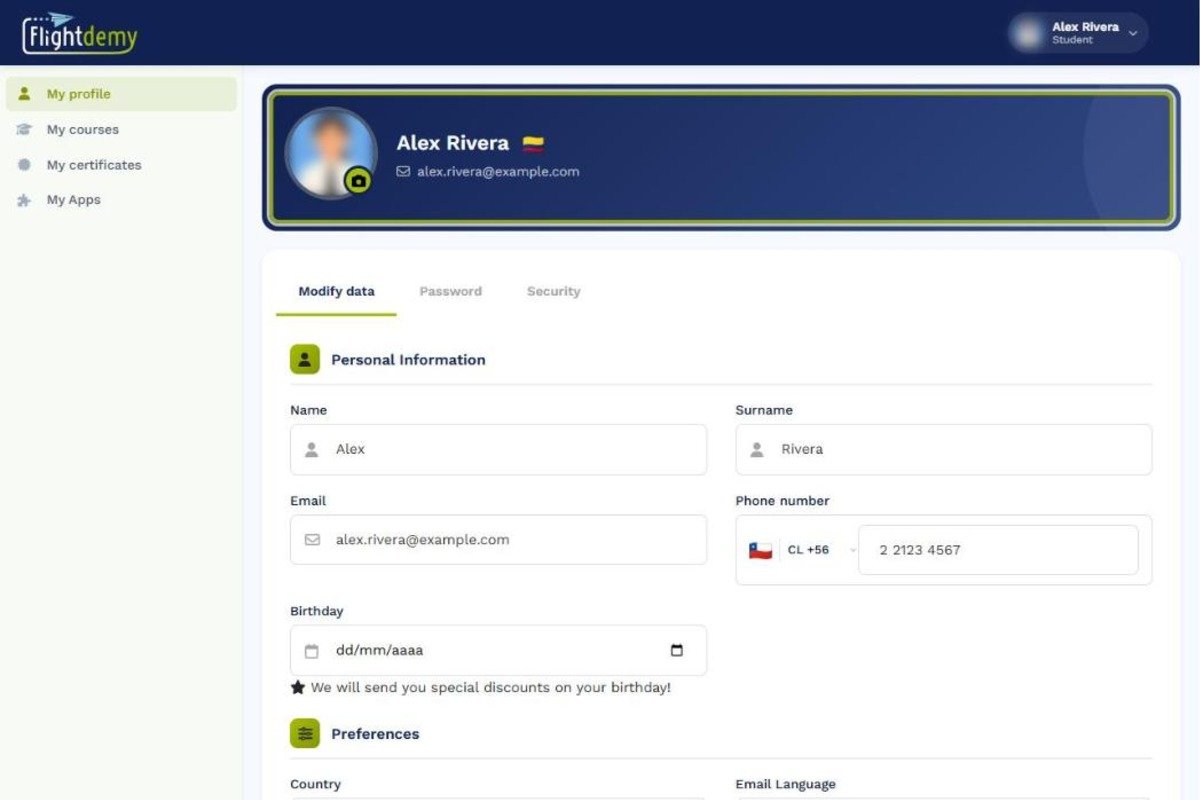
Step 4: Done, your account is ready
Once you sign up, you go straight to "My profile". From there you can complete your details, such as your photo, country and birthday, whenever you want.
-
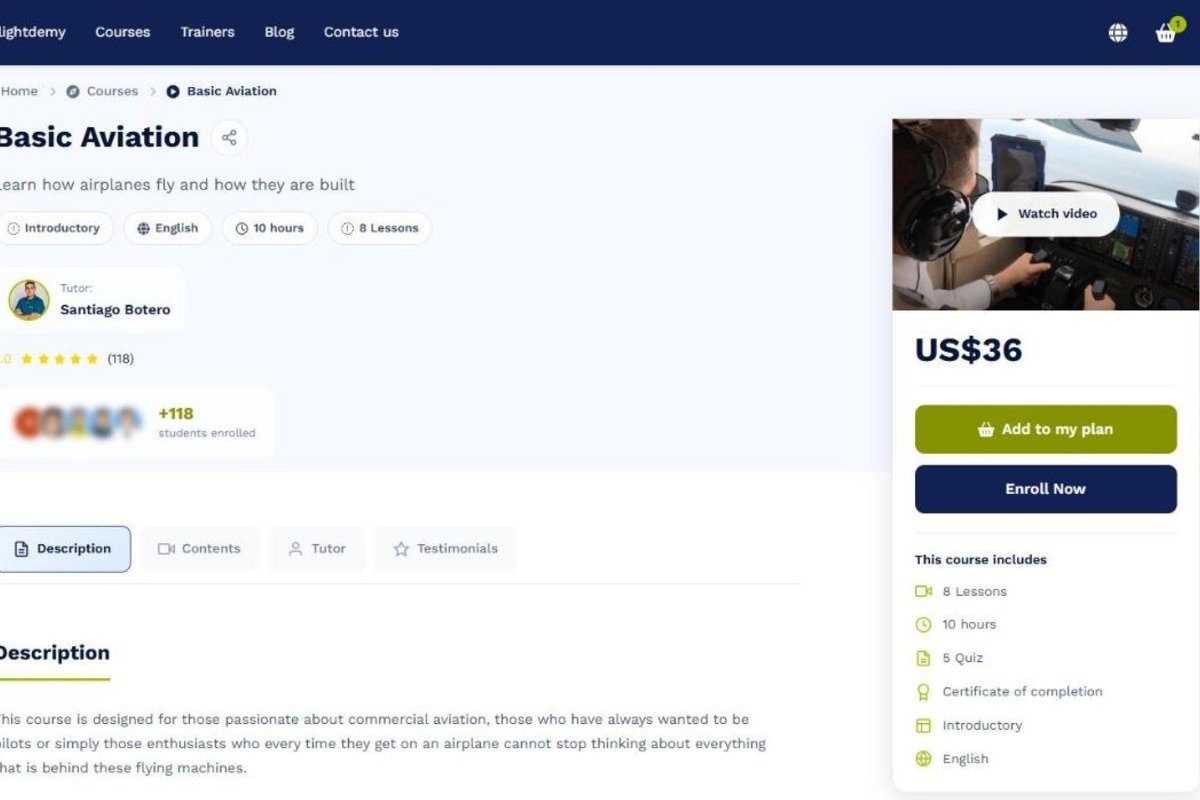
Step 5: Choose your first course
Browse the catalog of aviation courses, check each course page and pick the one that interests you most.

- English
Your study plan is empty!
Explore coursesSteps to register
Share